Unreal Engine Blueprint Communication Guide
Master Unreal Engine Blueprint communication with casting, interfaces, and event dispatchers. Complete tutorial with examples and best practices for game developers.

You've built your first few blueprints in Unreal Engine, but now they need to talk to each other. Your player character needs to interact with objects, your UI needs to respond to gameplay events, and your game systems need to coordinate seamlessly. Understanding Unreal Engine Blueprint Communication methods is what separates amateur projects from polished games that feel responsive and interconnected.
Most developers struggle with choosing the right communication method for their specific needs. Should you use casting, interfaces, or event dispatchers? Each method has its place, and knowing when to use which one will save you countless hours of debugging and refactoring later.
Understanding Blueprint Communication Methods in Unreal Engine
Blueprint communication is how different blueprints share information and trigger actions in each other. Think of it as the nervous system of your game. Without proper communication, your game objects exist in isolation.
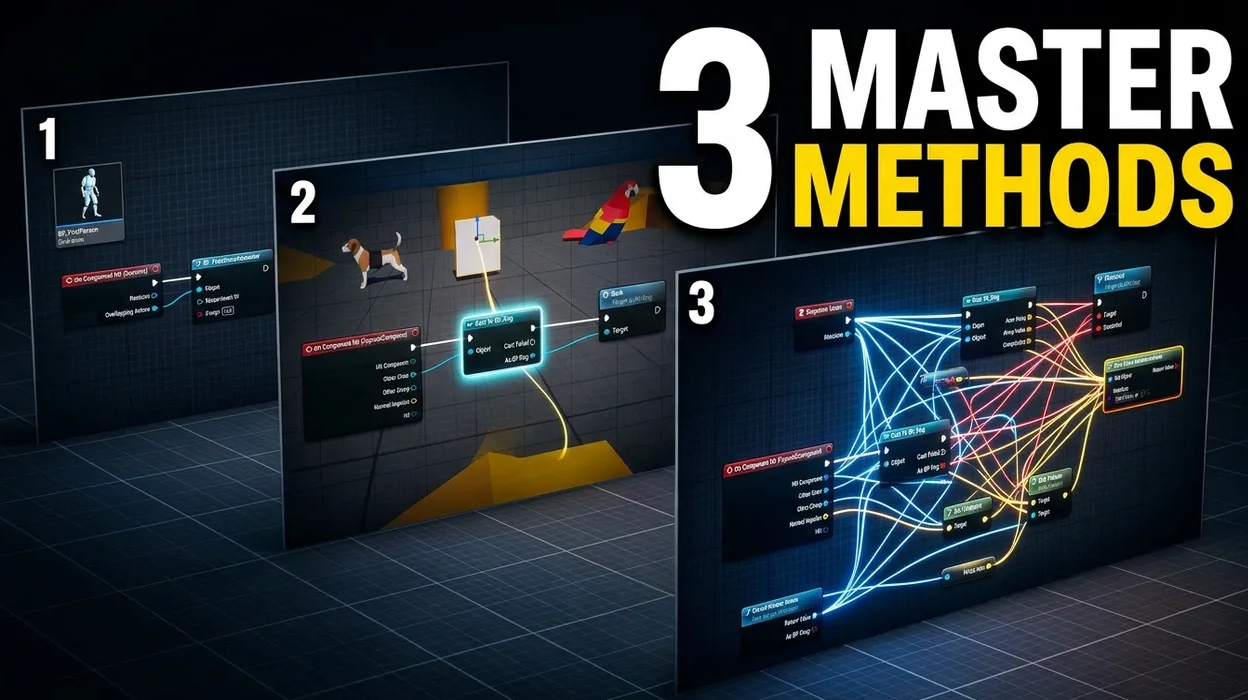
There are three primary methods for blueprint communication:
- Casting - Direct communication when you know exactly which blueprint you're targeting
- Interfaces - Flexible communication for multiple blueprint types that share common functionality
- Event Dispatchers - Broadcast communication where one blueprint can notify multiple listeners
Each method serves different scenarios. Casting works perfectly for player to specific object interactions. Interfaces excel when multiple different objects need the same functionality. Event dispatchers shine when one event needs to trigger multiple responses across your game.
Mastering Blueprint Casting Unreal Engine Techniques
What is Blueprint Casting
Blueprint casting checks if an object is a specific type you expect. If it is, you gain access to all its functions and variables. It's like asking "Are you a dog?" and if the answer is yes, you can tell it to bark.
When you cast successfully, you get a typed reference to that specific blueprint. This means you can call custom events, access variables, and use any functionality that blueprint provides.
Practical Casting Examples
Level blueprints frequently use casting with the "Get Player Character" node. This node returns a reference to the character you're playing as. Cast it to your specific character blueprint to access custom functions like launching the character upward on game start.
Best Practices for Blueprint Casting
Use casting when you need direct, one to one communication with a specific blueprint type. It's perfect for player interactions with known objects in your level.
However, casting requires exact type matching.
Creating Powerful Blueprint Interfaces Tutorial Systems
Blueprint Interface Fundamentals
Blueprint interfaces define a contract a set of functions that multiple blueprints can implement differently. Create an interface by right clicking in your content browser, selecting Blueprint Class, then Blueprint Interface.
Add functions to your interface in the Functions panel. These functions act as templates that implementing blueprints will fill with their own logic.
Implementing Blueprint Interaction System
Add interfaces to blueprints through Class Settings > Interfaces > Implemented Interfaces. Once added, you'll see interface events in your event graph that you can customize for each blueprint.
Advanced Interface Techniques
Interfaces accept input parameters just like regular functions. Pass boolean values, numbers, or object references to customize behavior. Your interact function might receive a "force" parameter to determine interaction strength.
Use the "Does Object Implement Interface" node before calling interface functions. This prevents errors when objects don't have the expected interface.
Interface vs Casting Comparison
Choose interfaces over casting when multiple different blueprint types need the same functionality. A single "Interact" interface works for dozens of different interactable objects.
Interfaces are more flexible and scalable than casting. Adding new interactable objects requires no changes to your player character code just implement the interface on new blueprints.
Event Dispatchers Unreal Engine: Advanced Blueprint Communication
Event Dispatcher Basics
Event dispatchers broadcast messages that multiple blueprints can listen for. Create them in the Event Dispatchers panel of any blueprint. Call them with the "Call" node when you want to notify listeners.
Think of dispatchers as radio stations. One blueprint broadcasts on a frequency, and any blueprint tuned to that frequency receives the message.
Implementing Multi Blueprint Communication
Bind to dispatchers using "Bind Event to [Dispatcher Name]" nodes. Connect these to custom events that execute when the dispatcher fires. Multiple blueprints can bind to the same dispatcher.
This creates responsive systems where one action triggers multiple effects. A player death dispatcher might simultaneously update the UI, play sound effects, trigger camera transitions, and save game statistics.
Advanced Event Dispatcher Features
Add custom parameters to dispatchers just like function inputs. Pass relevant data to all listeners when the event fires. A damage dispatcher might pass damage amount and damage type to all listeners.
Unbind events when they're no longer needed to prevent memory leaks. Use "Unbind Event from [Dispatcher Name]" or "Unbind All from [Dispatcher Name]" to clean up connections.
Event Dispatcher Best Practices
Use dispatchers for one to many communication scenarios. They're perfect for game state changes, achievement systems, and coordinating multiple UI elements.
Be mindful of performance with many listeners. Each dispatcher call executes all bound events. Consider event pooling or selective binding for performance-critical systems.
Choosing the Right Blueprint Communication Method for Your Project
Decision Framework for Communication Methods
Start with these guidelines:
- Casting - When you know exactly what blueprint type you're communicating with
- Interfaces - When multiple different blueprints need the same functionality
- Event Dispatchers - When one event needs to notify multiple blueprints
Consider your project's scale. Small games can rely heavily on casting. Larger projects benefit from interfaces and dispatchers for maintainability.
FAQ (Frequently Asked Questions)
When should I use casting vs interfaces for blueprint communication?
Use casting when you need to communicate with a specific, known blueprint type and access its unique functionality. Use interfaces when multiple different blueprint types need to share common functionality, like an interaction system that works across doors, NPCs, and collectibles.
Can event dispatchers affect game performance?
Event dispatchers can impact performance if you have many listeners or call them frequently. Each dispatcher call executes all bound events simultaneously. For performance-critical systems, consider limiting the number of listeners or using conditional logic to reduce unnecessary event calls.
How do I debug failed blueprint communication?
For casting issues, use the failure execution pin to print debug messages when casts fail. For interfaces, verify that target blueprints actually implement the interface using "Does Object Implement Interface" nodes. For event dispatchers, check that listeners are properly bound and haven't been unbound accidentally.
Can I pass custom data through blueprint interfaces?
Yes, blueprint interface functions accept input parameters just like regular functions. You can pass booleans, numbers, strings, object references, or custom structures through interface calls to customize behavior in implementing blueprints.
What's the difference between custom events and event dispatchers?
Custom events are internal to a single blueprint and called directly within that blueprint. Event dispatchers broadcast to multiple external blueprints that have bound to listen for the event. Use custom events for internal blueprint logic and dispatchers for cross-blueprint communication.